> ## Documentation Index
> Fetch the complete documentation index at: https://docs.spicerack.gg/llms.txt
> Use this file to discover all available pages before exploring further.
# Post-Event Tasks
> Tasks to complete after an event ends
### Overview
## Post-Event Tasks
### Ending the Event
* **Ending a phase; running a top 8**
When the standings for the final round of an event are generated, you'll be prompted to finish the phase. If there's no additional phase afterwards, the event will finish.
 For top cuts where "Rank required to enter phase" is set, starting that phase will mark the players who didn't meet the cut as "Eliminated" in the Registration tab.
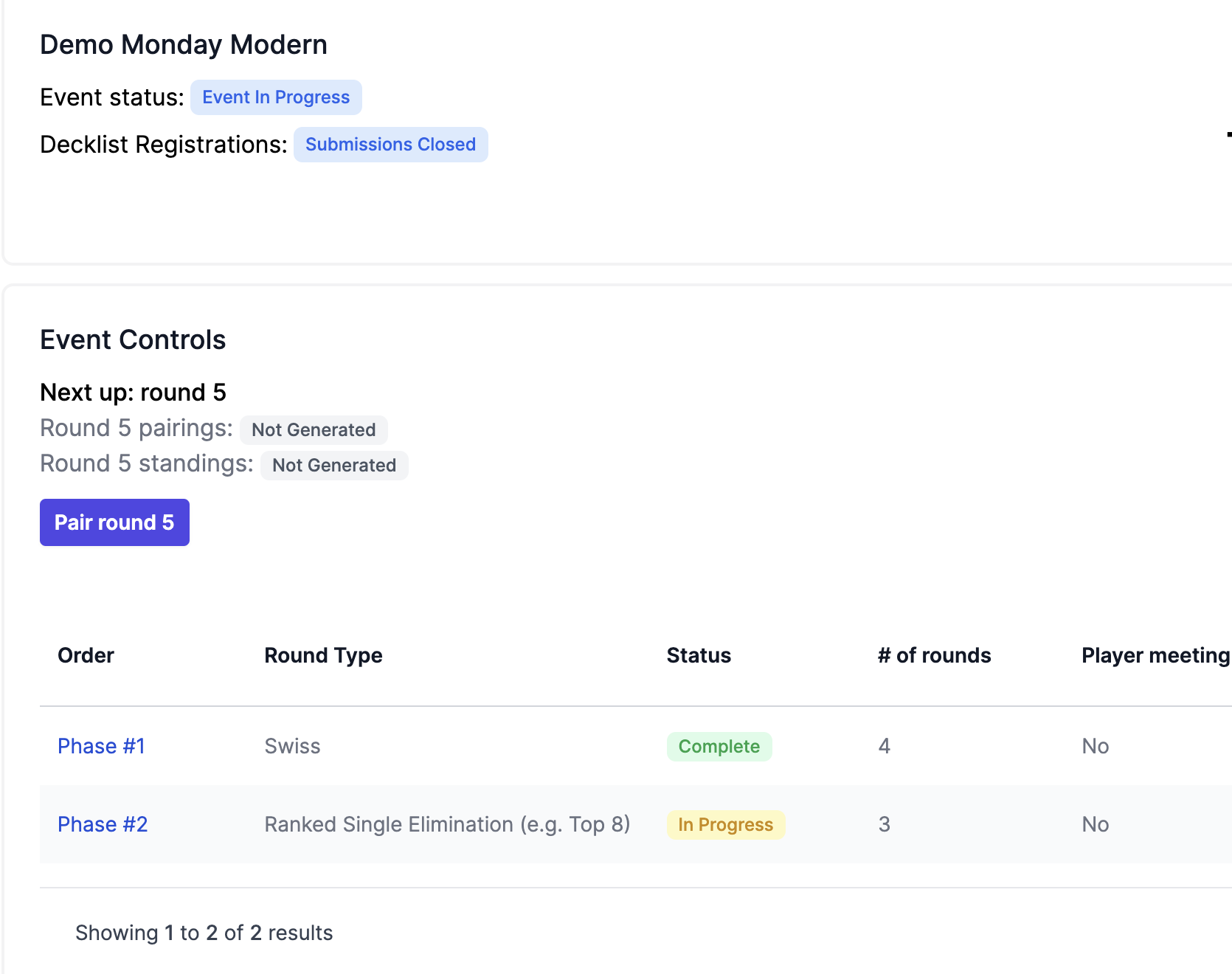
 The first round of the next phase (eg the quarterfinals in the case of a top 8) will continue the round numbering scheme. Below we have Phase 1 with a status of Complete, Phase 2 is now in progress, and we're ready to pair the quarter finals.
Since the round type is "Ranked Single Elimination" it will follow the format of 1st vs 8th, 2nd vs 7th, etc)
The first round of the next phase (eg the quarterfinals in the case of a top 8) will continue the round numbering scheme. Below we have Phase 1 with a status of Complete, Phase 2 is now in progress, and we're ready to pair the quarter finals.
Since the round type is "Ranked Single Elimination" it will follow the format of 1st vs 8th, 2nd vs 7th, etc)
 Here are example final standings after swiss and the resulting quarterfinals pairings:

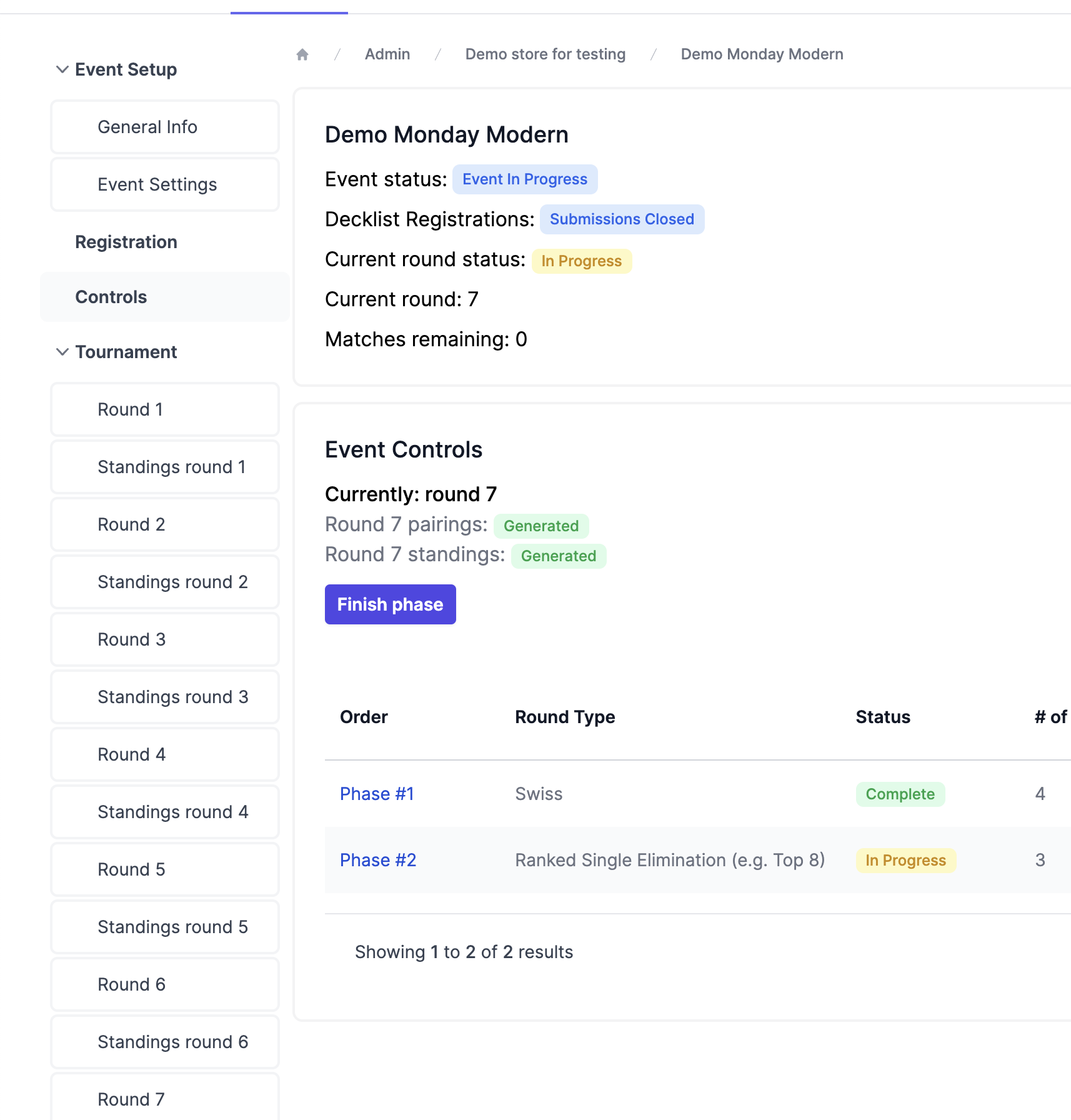
 When a player loses in ranked single elimination, they are eliminated once the standings are generated for that round. You can progress through the rounds as normal until the event is finished. Once the single elim rounds have been completed, you'll be prompted to "finish phase" which will end the event!
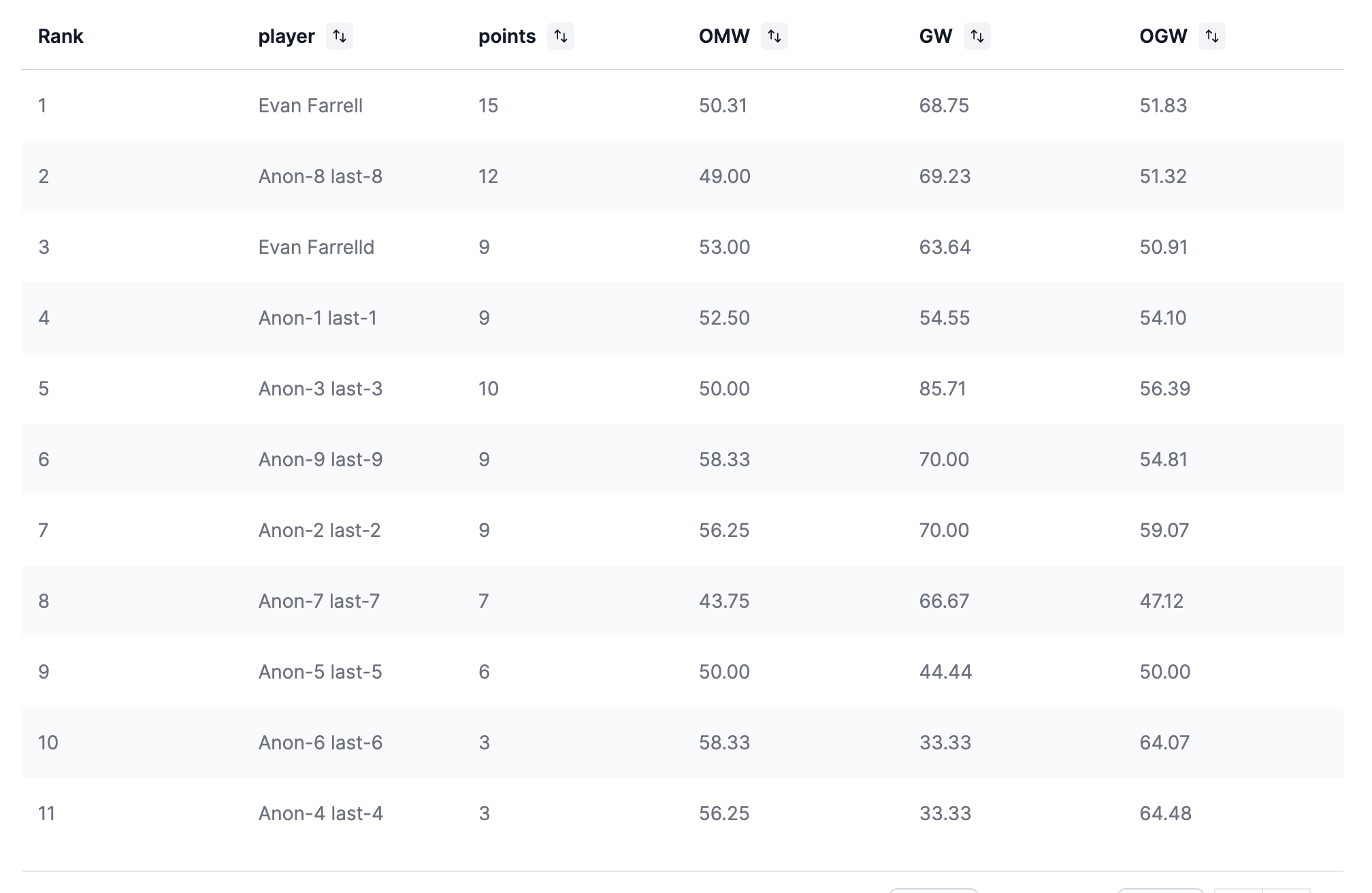
 As the top 8 progresses, the standings will lock for eliminated players, hence a 10-point player who lost in the quarters being lower than a 9. Here's an example final standings table after the top 8 finishes:
 ### Publishing Results
* **Publishing decklists**
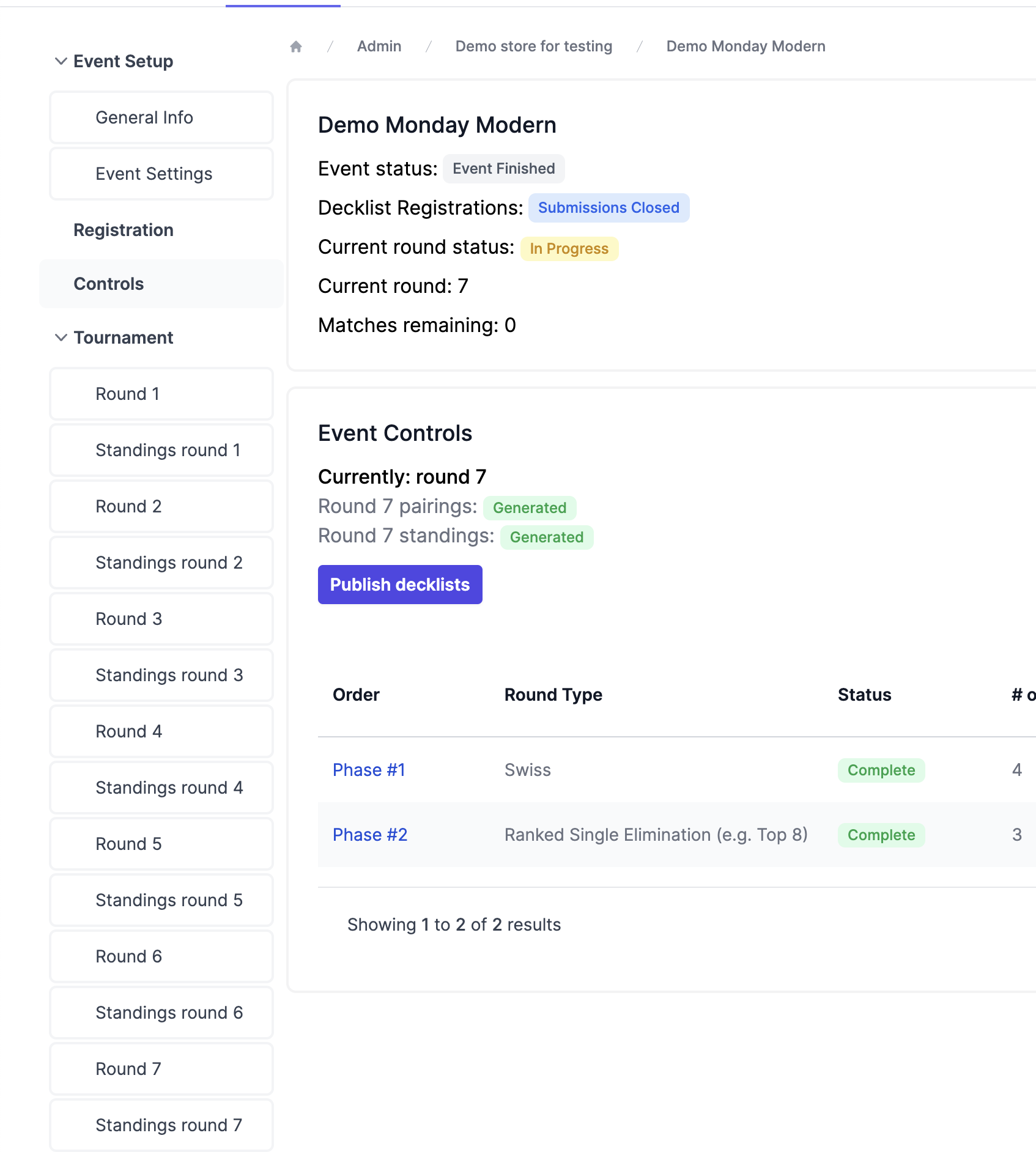
If all phases are complete, you'll be prompted in the Controls tab to Publish Decklists. This will by default publish any existing decklists for the top 8 to [spicerack.gg/events/decklists](http://spicerack.gg/events/decklists). Players with paper decklists or no decklist at all will be omitted. If you wish, you can add decklists for players in the registration tab (to perhaps convert the winning decklist from paper to digital) before publishing to include it in the decklist dump.
### Publishing Results
* **Publishing decklists**
If all phases are complete, you'll be prompted in the Controls tab to Publish Decklists. This will by default publish any existing decklists for the top 8 to [spicerack.gg/events/decklists](http://spicerack.gg/events/decklists). Players with paper decklists or no decklist at all will be omitted. If you wish, you can add decklists for players in the registration tab (to perhaps convert the winning decklist from paper to digital) before publishing to include it in the decklist dump.
 ### EventLink Integration
* **Exporting players & submitting player-lists to EventLink**
Clicking Download CSV in the Registration tab will give you an export of player names, spicerack emails, and wizards account emails (oftentimes a player's spicerack email will be different from their wizards email)
### EventLink Integration
* **Exporting players & submitting player-lists to EventLink**
Clicking Download CSV in the Registration tab will give you an export of player names, spicerack emails, and wizards account emails (oftentimes a player's spicerack email will be different from their wizards email)
 You can import your CSV as a "Player List Only" event in event link to make sure the organization gets the credits for the event.
Spicerack collects wizards emails from player upon registration, but not if a player is manually added *and* doesn't already have a spicerack account. You can add a wizards email to a player by going to the Registration tab, clicking the player, and opening the drop down that has their name.
You can import your CSV as a "Player List Only" event in event link to make sure the organization gets the credits for the event.
Spicerack collects wizards emails from player upon registration, but not if a player is manually added *and* doesn't already have a spicerack account. You can add a wizards email to a player by going to the Registration tab, clicking the player, and opening the drop down that has their name.
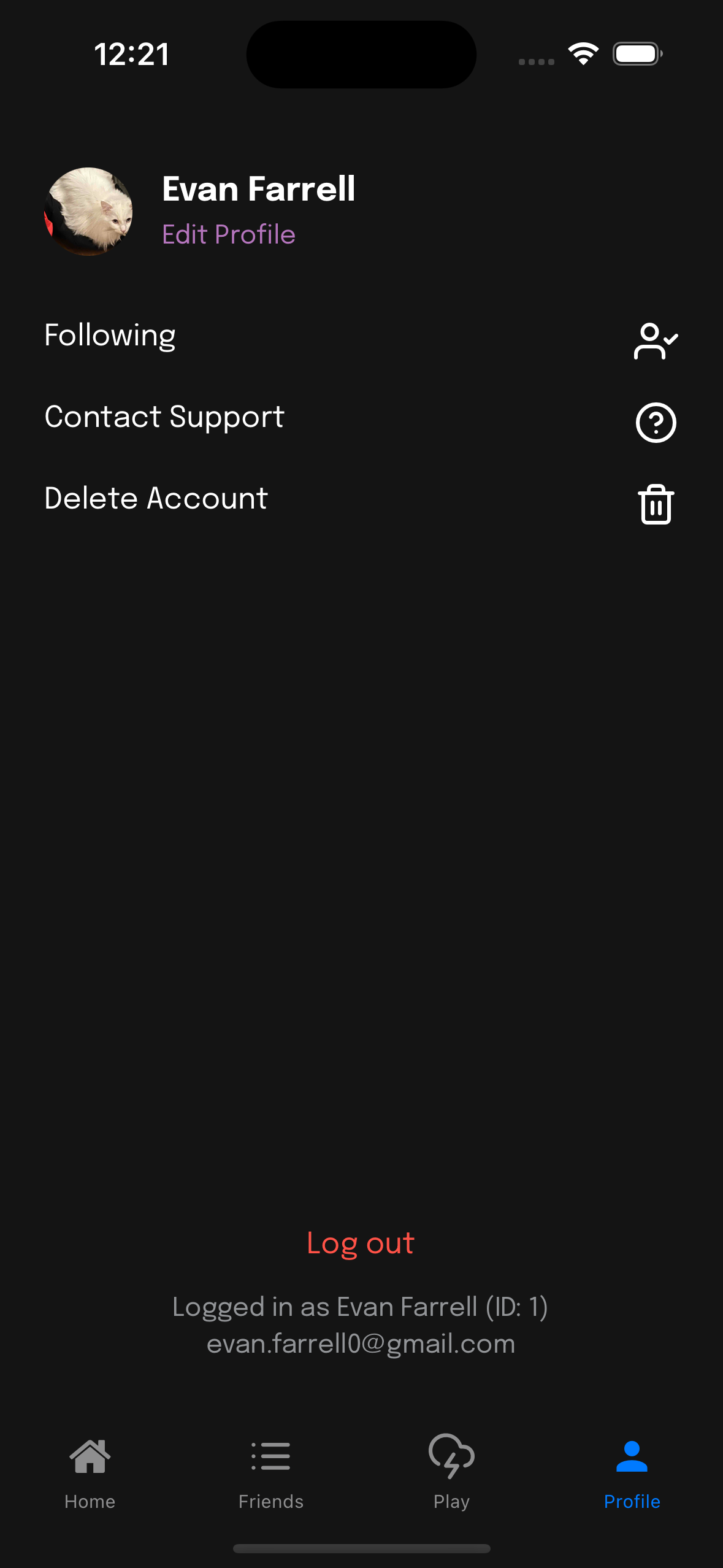
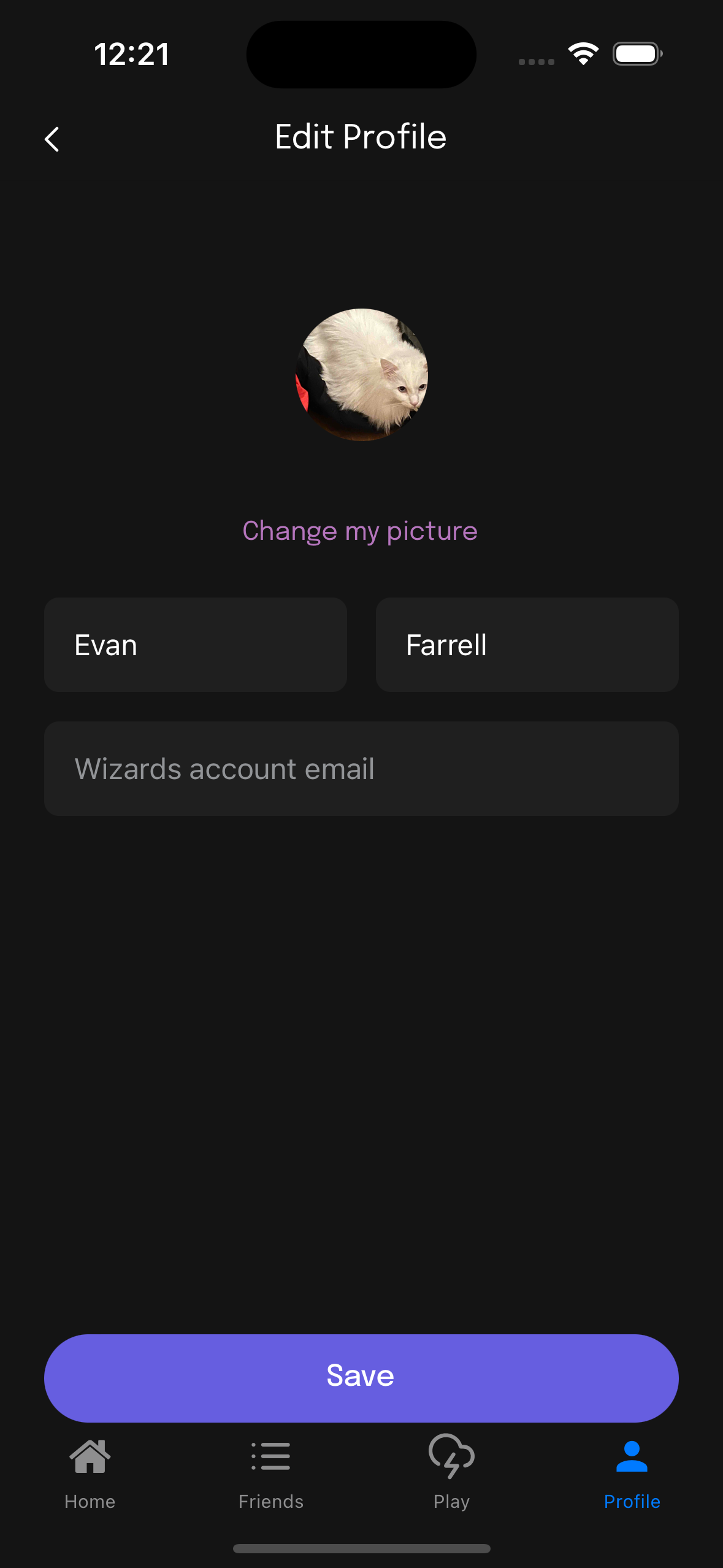
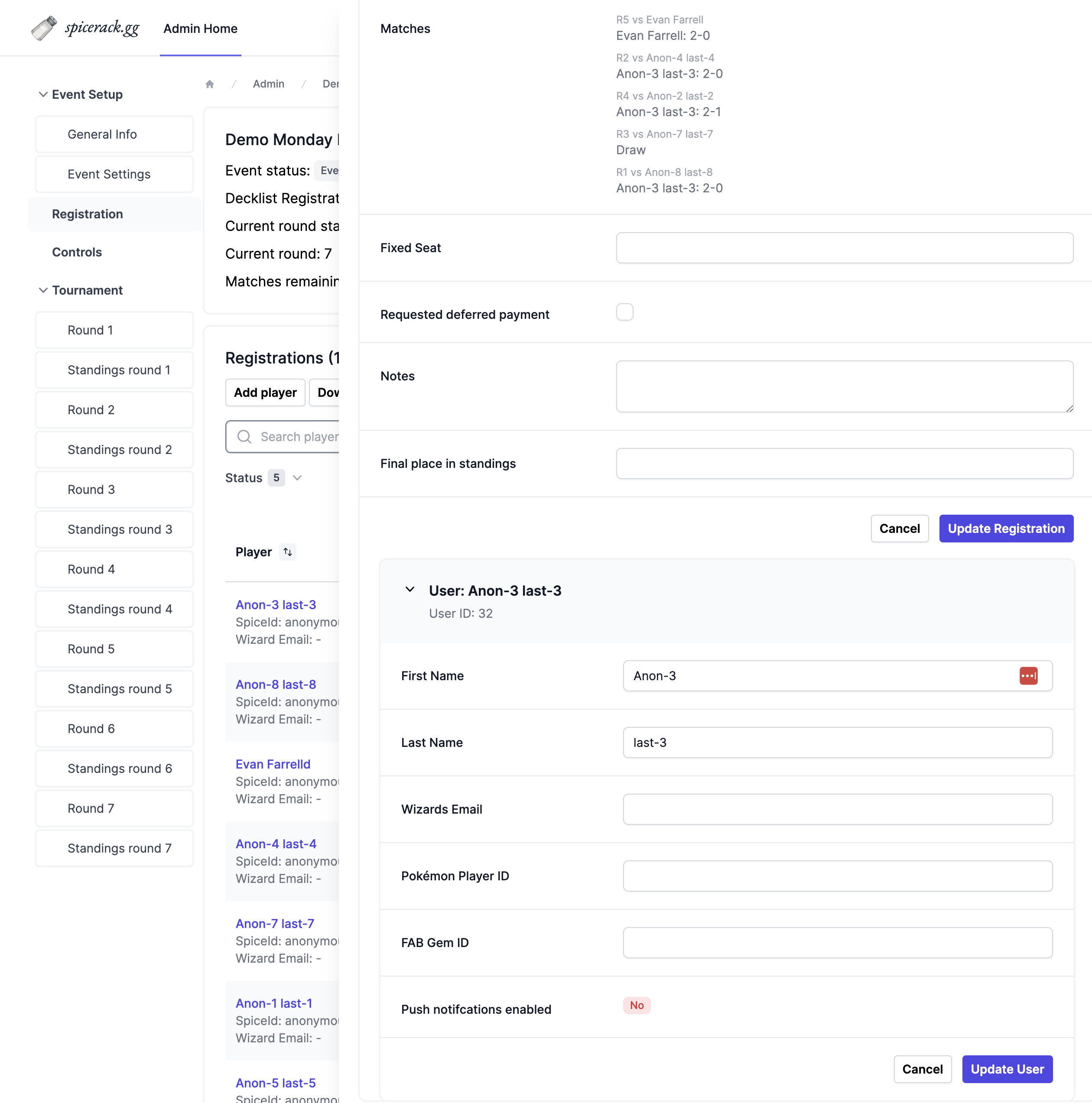 You can also ask a player to add it themselves on the app in the Profile tab like so:
 ### Event History
* **Viewing past events**
In [spicerack.gg/admin](http://spicerack.gg/admin), you can open the filters by clicking the funnel icon in the Tournaments tab. This will show options to view current, upcoming and past events
### Event History
* **Viewing past events**
In [spicerack.gg/admin](http://spicerack.gg/admin), you can open the filters by clicking the funnel icon in the Tournaments tab. This will show options to view current, upcoming and past events